


Form 16 - Definition, Eligibility, and How to Download It
Form 16 is a salary TDS certificate issued by employers. It summarizes the income, tax deductions, and exemptions. The document provides accurate ITR filing, containing both TDS (Part A) and income details (Part B).
Note: Form 16 (the TDS certificate for salary payment) has been replaced by Form 130 according to new provisions under the Income Tax Rules 2026. As a result of this change, while the name of the document has changed, the use of an employer's TDS certificate will continue as before.
However, this time there will be a much more comprehensive three-part breakdown of salary and tax deductions that will provide employers with a detailed report of their payroll taxes for the entire financial year.

What is Form 16?
Form 16 is a TDS certificate issued by employers that provides vital details such as your salary income, tax deducted at source, exemptions, and eligible deductions for the financial year. It is issued under Section 203 of the Income Tax Act. Though not mandatory, it serves as an important document for accurate ITR filing.
Part A of Form 16 contains employer and employee details along with TDS deducted, while Part B provides a detailed breakup of salary, exemptions, and deductions. You must collect Form 16 from each employer if you change jobs during the financial year.
Form 16 Download Online
The TRACES portal allows employers to download Form 16 after logging in and verifying essential TDS details.
- Log in to the TRACES portal.
- Use PAN (as User ID) and password.
- Navigate to the ‘Downloads’ tab.
- Select ‘Form 16’.
- Choose the relevant financial year.
- Confirm employee PAN and TDS details.
- Provide the TDS receipt number, tax deducted, and date of deduction.
- To generate Form 16 (Part A & B), submit the request.
- Download the Form from the ‘Downloads’ section once the request is processed.
How to Download Form 16 PDF?
The procedure to download Form 16 PDF for salaried employees from the official Income Tax Department website is mentioned below:
- Click on 'Tax Laws & Rules' and Select 'Income-tax Forms' under 'Forms/Downloads' section.
- After, clicking on 'Income Tax Forms' button you will be directed to the Forms Page.
- Scroll down the page you will see 'Form 16' as shown in the below screenshot
- Next, 'PDF' and 'Fillable Form' options are available under 'Form 16'.
- Click on the relevant option. You will be able to download the form on the next page.
Form 16 Password
The password to open Form 16 varies from one organization to another. But certain common formats are widely used which is mentioned below:
- PAN in lowercase and Date of Birth (DDMMYYYY).
- Only PAN in the lowercase.
- Only PAN in uppercase.
- Only Date of Birth (DDMMYYYY).
Who Receives Form 16?
Form 16 is issued to employees whose salary is subject to tax deduction at source (TDS).
Eligibility Criteria
- If an employee’s income is taxable, employers must deduct TDS under section 203 of the Income Tax Act.
- Any salaried individual with taxable income is eligible to receive Form 16.
When is Form 16 Not Required? | Employees with no TDS deducted may not receive Form 16, but many employers still issue it for convenience.
|
Why is Form 16 Needed? | Form 16 can be a crucial document for the following reasons:
|
Different Parts of Form 16
The two different Parts of Form 16 are mentioned below:
- Part A of Form 16
- Part B of Form 16
Part A |
|
Part B |
|
When is Form 16 Not Required?
Employees with no TDS deducted may not receive Form 16, but many employers still issue it for convenience.
- Employers are not obligated to issue Form 16 if no TDS is deducted.
- As it offers a consolidated summary of earnings and is helpful for various financial purposes, some organizations still provide it as a good practice.
Why is Form 16 Needed?
Form 16 can be a crucial document for the following reasons:
- Confirms tax deposit with the government by serving as income proof that the tax deducted by your employer.
- Provides key information required for ITR filing, including salary details, salary-related deductions, investments, and other deductions claimed under total income.
- Acts as an official document validating your salary earnings.
- To verify income and financial credibility during loan processing, banks and financial institutions often request Form 16.
Who can Issue Form 16?
Only the employer is authorized to issue Form 16 for income tax purposes. Under the Income Tax Act, 1961, employers must issue Form 16 to employees whose annual salary exceeds Rs.2.5 lakh. In the following circumstances, the employer is not permitted to withhold TDS:
- The employee might not be subject to the applicable income tax slab.
- Due to certain tax benefits, TDS might not be applicable even if the employee falls within the taxable income slab.
Issuing Form 16 to employees who do not come under the taxable income slab is not mandatory. However, many companies choose to provide Form 16 to give the employee more clarity.
When is Form 16 Issued?
Form 16 must be given by the employer by 15 June of the assessment year. This gives the employee sufficient time to file the ITR before the last date.
Difference Between Form 16 and Form 26AS
The key differences between Form 16 and Form 26AS are given in the table below:
Grounds of Difference | Form 16 | Form 26AS |
Meaning | A TDS certificate showing:
| A consolidated statement showing:
|
Importance | Though not mandatory for ITR filing, it is useful for filing income tax returns. | It is not mandatory for ITR filing but provides a complete view of TDS and other tax-related details. |
Issuer | The employer | The Income Tax Department. |
Discrepancies | Contact your employer to get Form 16 corrected in case of any errors in the form. | Contact the relevant deductor (e.g., tenant for rent TDS) to revise their TDS return in case of any errors. |
Difference Between Form 16, Form 16A, and Form 16B
The difference between Form 16, Form 16A, and Form 16B has been summarised in the following table:
Form 16 | Form 16A | Form 16B |
Issued by the employer who deducts the TDS. | Issued by the financial institution who deducts the TDS. | Issued by the respective buyer to the seller for the deduction of TDS for sale of immovable property under section 194-IA. |
Issued for tax deducted at source on salary. | Issued for tax deducted at source for any other income except for salary. | Issued for tax deducted at source for the sale of immovable property. |
Applicable only to salaried income | Applicable to income earned as interest, commission, dividends, etc. | Applicable to income earned by selling land or building (other than agricultural land) |
Issued annually | Issued quarterly | Issued according to the number of transactions |
Employees earning Rs.2.5 lakh and above | Individual having an income beyond a certain threshold | On transactions exceeding Rs.50 lakh |
Benefits of Digital Form 16
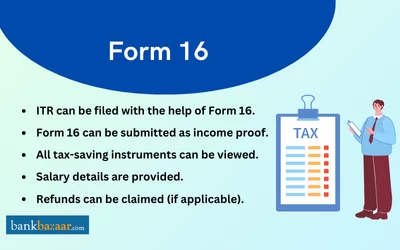
The significant benefits of digital form 16 are mentioned below:
- Higher accuracy and reliability as the digital form is auto-generated directly from the TRACES portal.
- Speeds up the filing process and minimizes manual mistakes due to automated data extraction.
- Digitally structured data helps the Income Tax Department process returns and issue refunds more quickly.
- Enhanced security as the digital storage protects sensitive financial details and ensures confidentiality.
- Convenience for job switchers as multiple Form 16 can be uploaded and merged seamlessly, making tax filing simpler for individuals who changed jobs.
How to File ITR with Form 16
There are certain bits of information that are required when filing your ITR. These details can be found on Form 16. They include the following:
- Allowances that are exempt under Section 10 of the Income Tax Act
- A breakup of the deductions under Section 16 of the Income Tax Act
- Income from house property provided for TDS
- Income from other sources provided for TDS
- Taxable salary
- A breakup of the deductions under Chapter VI-A of the Income Tax Act covering the deductions under Section 80C, Section 80CCC, Section 80CCD(1), Section 80CCD(1B), Section 80CCD(2), Section 80D and Section 80E of the Income Tax Act
- Aggregate of deductible amount under Chapter VI-A of the Income Tax Act covering the deductions under Section 10(a), Section 10(b), Section 10(c), Section 10(d), Section 10(e), Section 10(f), Section 10(g), Section 10(h), Section 10(i), Section 10(j), and Section 10(l) of the Income Tax Act
- Refund due or net tax payable
Additional details from Form 16 required for filing your income tax returns
- Tax deducted at source by the employer
- Employer's TAN
- Employer's PAN
- Employer's name as well as address
- Present assessment year
- Name and address of the taxpayer
- PAN of the taxpayer
*There are certain fields in the form that are notified for deductions. They are as follows: :
Deductions | Contribution |
PPF, Premium Payments Towards Life Insurance | |
PF | |
Both salaried and self-employed towards NPS | |
Section 80CCD(1B) | Additional Deduction towards the Pension Scheme |
Section 80CCD(2) | Employer's Contribution to Pension Scheme |
Health insurance | |
Education Loan | |
Donations or Charitable Trusts | |
Can I File ITR Without Form 16?
- According to Section 272A(2)(g) of the I-T Act, it is the employer's responsibility to deduct tax from employees' salaries and provide a certificate of TDS.
- Failure to do so will result in a fine of Rs.100 per day of default.
- If an organisation or employer refuses to issue the certificate despite repeated requests, there could be a chance that the deductor has not deposited the tax with the relevant government department.
- After the employee informs the concerned Assessing Officer, they will take the appropriate corrective action and start the penalty proceedings against the employer.
- However, it is the responsibility of the individual to pay income taxes and file returns.
- Employees are not exempt from filing tax returns if their employer did not issue Form 16.
- Income tax returns can be filed by using alternative documents like Form 26AS, rent receipts, TDS Certificates from the bank, proofs of tax-saving investments, and salary slips.
Lost Your Form 16? Here's What You Can Do
- Form 16 is a highly important document that must be preserved carefully.
- However, in case you have lost your Form 16, you can go through your mail and find it (if you received it via mail).
- In case you received a hard copy from your employer and lost it, you can request your employer to issue another form.
Important Details to Verify in Your Form 16
- Once the employer issues Form 16, the receiver must make sure that all the information on it is accurate.
- Besides checking personal information and details regarding the TDS and income, the receiver must also check the PAN number.
- If the PAN is stated incorrectly, it must be rectified immediately by contacting the company's HR, payroll, or finance department.
- The employer will provide the employee with a corrected and updated Form 16.
Points to Consider While Checking Form 16
Key points that you should consider while checking form 16 are mentioned below:
- Ensure accuracy of key details such as income amount, TDS deducted, and personal information.
- Report errors immediately, if any details are incorrect and contact your HR, Payroll, or Finance department without delay.
- To correct the TDS credit against the right PAN, the employer will file a revised TDS return.
- The employer will issue an updated Form 16 to the employee after processing the form.
FAQs on Form 16
1.Who is eligible for Form 16?
Any salaried person whose employer has deducted TDS is eligible for Form 16.
2.How is Form 16 generated?
3.How to Download Form 16 Online?
Visit https://incometaxindia.gov.in/pages/downloads/most-used-forms.aspx and Select Form No. 16 then Click on ‘PDF’ or ‘Fillable Form’ to complete the procedure.
4.From which website can I download previous years’ Form 16?
You can visit the TRACES portal to download previous years Form 16.
5.In case no TDS is deducted, will Form 16 be provided?
No, if no TDS is deducted, Form 16 will not be issued.
6.Can Form 16 be provided to my new employer?
Yes, you can share Form 16 with your new employer for tax calculation.
7.Are salary slip and Form 16 the same?
No, a salary slip shows monthly salary while Form 16 shows annual tax details.
8.How can I get Form 16?
You will need to contact your employer in order to receive Form 16.
9.Is it possible to generate Form 16 without a PAN?
No, only a valid PAN may generate Form 16A. Form 16A won't be produced if a PAN is not reported in the TDS statement or if it is an invalid PAN.
10.Do I have to obtain Form 16 from my previous employer when changing jobs?
Yes, you should collect it to file a consolidated income tax return.
11.Can Form 16 be used as income proof?
Yes, it serves as valid proof of income.
12.When are the due dates for the issuance of the Form 16 and Form 16A certificates?
Form 16 must be issued by 15th June following the financial year. Form 16A is issued quarterly by 15th August, 15th November, 15th February, and 15th June for each respective quarter.
13.Can I get a duplicate Form 16 certificate if I misplace the original one?
Yes, contact your employer or deductor for a duplicate Form 16.
14.If I am a pensioner, who will issue my Form 16?
Your bank, not your previous employer, will issue Form 16.
15.Can I download my Form 16 certificate without enrolling myself on the TRACES website?
No, you have to be a registered user on the TRACES website to be able to download your Form 16 and Form 16A.
16.Can Form 16 be downloaded in PDF format?
Yes, Form 16 is available in PDF format.
News about Form 16
Form 16 will be replaced by Form 130 from 1 April 2026
Under the Income Tax Act 2025, Form 16 will be replaced by Form 130 as part of a broader restructuring effective from 1 April 2026. Likewise, form 16A for non-salary income will be renamed as Form 131. As per the tax law, Form 130 must be issued by 15th June following the financial year in which income and tax deduction occurred. While Form 131 must be issued within 15 days after quarterly filings.

Disclaimer
Credit Card:
Credit Score:
Personal Loan:
Home Loan:
Fixed Deposit:


Copyright © 2026 BankBazaar.com.