


Electricity Bill in India - Components, Tariff Structure and Charges
What is an Electricity Bill?
Customers receive monthly electricity bills from state- or privately-owned electricity boards. They are produced for every type of consumer, including commercial, industrial, and domestic. These bills must be paid on time and without default. You have two options for paying your electricity bill, one is online and another is offline.
To maintain a continuous supply of electricity the government has set forth certain regulations among which paying electricity bills on time is a vital rule. Consumers can either visit the electricity board office to pay the bills or simply log into the official portal using their login credentials to pay their bills.
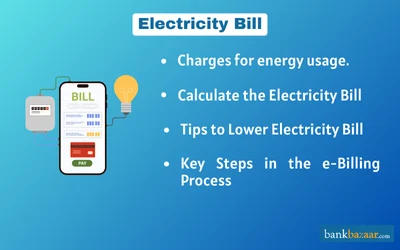
Components of your Electricity Bill 2026:
It is important to know the components of your electricity bills so that you have an idea regarding the consumption and how the board is charging you. We will have a look at the components of your electricity bills which are given below:
- Fixed Charge: The fixed rate fluctuates based on the authorized load of the customer. This is the sum of the loads produced by every electrical gadget on the customer's property. The FC has been imposed to recover the cost of DISCOM's installation of the whole network infrastructure. Depending on the authorized load and the customer's ability to pay, the fixed fees also differ for different consumer categories.
- Energy Charge: The cost of electricity purchased by the DISCOM is recovered using the energy consumed which is calculated on the amount of energy consumed.
- Electricity duty or Tax: Electricity bills also include the electricity duty or tax which is levied on the overall cost of the electricity. This charge varies from one state to another, but the state government has fixed a charge of 9.00% on the consumer’s total electricity consumption.
- Fuel Cost Adjustment Charge (FAC): The FAC raise was implemented to keep up with the monthly increases in the price of coal and fuel. The utilities that generate electricity transmit this on to DISCOMs, who then impose it on consumers. This is updated every three months and paid monthly.
- Penalty: If the power factor is found to be less than 0.85 lag, there is a penalty of 2 paisa per unit. The percentage of total power supplied by a consumer's actual power consumption is known as the power factor. This penalty is assessed throughout the billing process once a month.
- Rebate: If solar water heaters are used, then DISCOM offers a rebate of 50 paisa per unit on the electricity consumed. This is done to encourage consumers to conserve energy and use it efficiently.
- Interest: Depending upon the days delayed for payment, an interest rate of 1.00% is levied per month for late payments.
- Incentives: If a bill that exceeds Rs.1 lakh is paid using the electronic clearing system ten days before the due date. Next, a reward of Rs.1000 will be applied to the bill for the following month. There will be a 0.25% incentive.
- Arrears: This section denotes pending payments of the previous month which are added to the next month’s bill.
- Other charges: Other charges include ‘Urban Cess’, ‘Water Conservation Cess’, etc., which is levied by DISCOM on behalf of municipal bodies, industries and others.
- Tariff: When you receive your electricity bill, there are two things that you must initially look at - tariffs and category. There are two types of tariff codes - Low Tension (LT) and High Tension (HT). LT codes are usually used for personal offices and housing connections. HT codes are generally used for larger industries and complexes.
- Category: You must also check the category under which your connection falls. You must check whether your connection category is residential, industrial, or commercial.
Based on your tariffs and category, your electricity bill is generated and hence, it is your responsibility to check that your bill is being generated under the right tariff and category.
- Units consumed: Units consumed is nothing but the number of KWH (Kilo-Watt per hour) consumed in one month. If you keep a 100-watt bulb switched on for 10 hours, then there is a consumption of 1 KWH. The calculation of total units consumed is done on the basis of your electricity usage. The lesser the units consumed, the lower will be your electricity bill amount.
Related Articles on Electricity Bill
- How to Pay your UPPCL Electricity Bill Online?
- How to Find Consumer Number in Electricity Bill?
- NBPDCL - Complaint Numbers, Receipt, & Bill Download
- TNEB Tamil Nadu Electricity Bill Payment
- APDCL Assam Electricity Bill Payment
- BESCOM Electricity Bill Payment
- How to Change Name in Electricity Bill Online
- MSEDCL Maharashtra Electricity Bill Payment (Mahavitaran)
- How to Change Mobile Number in Electricity Bill?
What is an Electricity Bill Tariff?
A tariff on an electricity bill refers to the pricing plan or rate structure set by the utility company, which outlines how electricity consumption is charged. Tariffs can vary and may include flat rates, tiered rates based on usage, or time-of-use rates that charge differently depending on the time of day. Understanding the tariff structure helps in interpreting the charges listed on your electricity bill.
Tariff Structure and Charges
It is important to understand the tariff structure and charges mentioned in your electricity bill so that you are aware of what you are being charged.
- Tariff structure: The pricing at which the units consumed are chargeable is determined by the tariff structure. It shows the extent to which rates have increased in response to the rise in consumption.
- Fuel surcharge: The cost of generation may vary on a monthly basis even though the tariff structure may remain consistent. The surcharge is the change in the cost of electricity generation. The surcharge is applied per unit.
- Electricity duty: Some states in India apply duty on supply for electricity.
- Fixed charges: This is generally a fixed amount which is generated upon the type of connection and the connection load.
- Units consumed: Based on the reading on the meter, you can determine the number of units consumed and the amount you will be charged accordingly.
Electricity Bill Payment Modes Explained
You can pay your electricity bill both online and offline. If you wish to pay your electricity bill online, you can do so using your credit card, debit card, Net Banking, e-wallets, and UPI.
If you wish to pay your electricity bill offline, you can do so using your credit card, debit card, UPI, cheque, demand draft, and cash.
How to Pay Electricity Bill Online?
The process to pay your electricity bill online is given below:
- Visit the official website of the state electricity board
- Log in to the customer portal using your credentials
- Once you have logged in, you can view the bill amount. You will most likely get the 'Quick Pay' option where you have the option of paying the entire amount or an amount of your choice.
- Once you have chosen the amount you wish to pay, click on 'proceed'
- Select the mode of payment, and provide the details required
- You will be taken through the payment gateway section. Enter the relevant details such as 'One Time Password' (OTP) and click on 'Submit'
- Your payment has been completed. You will receive the receipt of your payment which you can save for future reference
Note: Payment portal for different boards may be different
Steps to Pay Your Electricity Bill Online via Net Banking
The process to pay your electricity bill online can vary depending on the portal, but here are the common steps:
- Visit the official website of the state electricity board
- Log in to the customer portal using your credentials
- You can view the amount of your bill after logging in
- After choosing the amount to pay, make the payment.
Paying Electricity Bills via E-Wallets
There are various e-wallets such as Paytm, Amazon Pay, MobiKwik , Freecharge, etc., where you can directly pay the electricity bill . We will list down the steps that you will have to employ in order to pay your electricity bill using e-wallets below:
- Go to the e-wallet website
- Sign in to the mobile app or e-wallet website where you wish to pay your electricity bill
- You will be taken to a new page after clicking on the Electricity section on the home page
- Select the electrical board and the state in which you reside
- Enter either Account ID or Consumer ID
- Select Proceed
- You can now see the bill and determine how much amount you must pay
- Go through and finish paying your bill
- You will receive confirmation after you complete the payment.
How to Pay Electricity Bill Offline?
You can pay your electricity bill offline by visiting the nearest section office. You can then complete the payment of your electricity bill offline by swiping your credit card, debit card, pay using UPI, through cheque, demand draft in the name of the electricity board, or by simply paying through cash.
How Is the Electricity Bill Calculated?
The electricity bill is determined by the number of units consumed, and there isn't a fixed formula for its calculation. Charges may vary for the initial 200 units and any units exceeding that threshold. You can calculate your electricity bill using one of the following methods:
- Utilize the online billing feature available on the official website of your electricity board.
- Use dedicated portals that offer this service.
- Calculate the electricity bill manually.
How to Use Online Portals to Calculate Your Electricity Bill
The process of calculating electricity bills may vary slightly across different portals, but the general steps remain similar. Here's how you can compute your electricity bill using an example:
- Go to your electrical board's official website. Please be aware that not every board can calculate bills online
- Look for the online electricity bill calculator option
- Click the choice if it is available, then input the necessary information, including the billing period, meter readings, and any other details
- To determine your bill, follow the instructions provided on the page.
Tariff Determination in Electricity Billing
Tariff determination for electricity is overseen by the State Electricity Regulatory Commissions (SERCs) to balance the financial stability of utilities with consumer interests. The pricing varies by factors such as consumer category, load factor, and state-decided subsidies. Three key parameters define tariff determination:
1. Aggregate Revenue Requirement (ARR): ARR represents the total revenue a distribution company (DISCOM) must collect to cover operational costs, including power procurement, distribution, and transmission. It ensures the utility recovers legitimate costs and provides a reasonable return to investors.
ARR can involve cross-subsidization, where different consumer categories pay varying rates to ensure affordability for certain groups.
2. Average Cost of Supply (ACoS): ACoS calculates the average cost incurred by a DISCOM to supply electricity per unit (kWh). It serves as a reference for setting tariffs, ensuring utilities can meet financial obligations.
ACoS differs across consumer categories, and cross-subsidization ensures that no category exceeds 120% of ACoS.
3. Average Billing Rate (ABR): ABR reflects the expected revenue from each consumer category, based on fixed and variable charges. It provides insights into how much the utility expects to collect for electricity consumed and guides tariff setting.
ABR includes energy charges (based on consumption), demand charges (based on capacity usage), and minimum charges (paid monthly, regardless of usage).
Tariffs are typically a mix of these components and vary by state and consumer category, such as residential, commercial, and industrial.
States and Their Respective Electricity Boards in India
State | Electricity Board |
Andhra Pradesh | |
Southern Power Distribution Co Ltd (APSPDCL) | |
Assam | |
Bihar | |
South Bihar Power Distribution Company Ltd | |
Chattisgarh | |
Dadra and Nagar Haveli | |
Daman and Diu | Daman and Diu Electricity |
Goa | |
Gujarat | |
Madhya Gujarat Vij Company Limited (MGVCL) | |
Haryana | |
Himachal Pradesh | |
Jharkhand | |
Karnataka | |
Chamundeshwari Electricity Supply Corporation Limited | |
Mangalore Electricity Supply Co. Ltd (MESCOM) | |
Kerala | |
Madhya Pradesh | |
Madhya Pradesh Paschim Kshetra Vidyut Vitaran Company LTD-Indore | |
M.P. Poorv Kshetra Vidyut Vitaran - URBAN | |
Madhya Pradesh Madhya Kshetra Vidyut Vitaran Company LTD-Bhopal | |
Madhya Pradesh Poorv Kshetra Vidyut Vitaran Company LTD-Jabalpur | |
Maharashtra | |
B.E.S.T Mumbai | |
Maharashtra State Electricity Distribution Company Ltd ( MSEDCL)/ Mahavitran | |
Meghalaya | |
Mizoram | Power & Electricity Department - Mizoram |
Nagaland | Department of Power, Nagaland |
New Delhi | |
New Delhi Municipal Council (NDMC) - Electricity | |
Odisha | |
WESCO - Odisha | |
Puducherry | |
Punjab | |
Rajasthan | |
Bharatpur Electricity Services Ltd. (BESL) | |
Bikaner Electricity Supply Limited (BkESL) | |
JDVVNL - Jodhpur Vidyut Vitran Nigam Limited Electricity Bill Payment | |
Kota Electricity Distribution Limited (KEDL) | |
JDVVNL - Jodhpur Vidyut Vitran Nigam Limited Electricity Bill Payment | |
Sikkim | Sikkim Power - URBAN |
Tamil Nadu | |
Telangana | |
Telangana State Southern Power Distribution Company Limited(TSSPDCL) | |
Tripura | |
Uttar Pradesh | |
Torrent Power - Agra | |
Uttar Pradesh Power Corp Ltd (UPPCL) - URBAN | |
Uttarakhand | |
West Bengal | |
Durgapur Projects Limited | |
West Bengal State Electricity Distribution Co. Ltd (WBSEDCL) |
How to Find the K Number or Consumer Number of Your Electricity Board
The K number or the consumer number is a unique number assigned to any customer who has availed electricity connections for themselves. You can use the consumer number to find details of their electricity bill such as the billing amount, units consumed, history of your bill payment, customer support, etc. The consumer number can be found easily on the electricity bill.
Tips to Reduce Electricity Bill at Home
1. Unplug Idle Devices: Electronics like TVs, computers, gaming consoles, etc., continue to draw power even when turned off. Make sure to switch off the power strips they’re connected to as well, to prevent unnecessary energy use.
2. Use High-Energy Appliances Wisely: Appliances such as geysers, washing machines, dishwashers, and air conditioners consume a lot of electricity. Use them efficiently to save energy. Opt for appliances with a 5-star energy rating, as they are designed to use less power.
3. Optimize Use of Lights and Fans: Lighting and ceiling fans can significantly impact your electricity bill. Always turn them off when leaving a room, and consider using task lighting, like study lamps, to reduce overall energy consumption.
4. Replace Old Appliances: Older appliances tend to be less energy-efficient, consuming more power. Upgrading to newer models can help reduce your energy costs.
5. Avoid Overcharging Devices: Don’t leave your devices plugged in unnecessarily, as frequent charging can shorten battery life. Also, unplug chargers from the outlet when not in use to save energy.
What is the E-Bill System?
Paper bills can also be found digitally as e-Bills. Information regarding payment terms and due dates is included in the e-Bills. The payment site is connected to a fully electronic invoicing system, which simplifies the payment procedure.
Key Steps in the E-Billing Process:
• Invoice Creation: Preparing accurate invoices, including the correct products, services, discounts, and total amounts.
• Invoice Submission: Sending the invoice to the customer or relevant authority.
• Payment Collection: Receiving and tracking payments from customers based on the submitted invoices.
FAQs on Electricity Bill
1.How can I check my electricity bill?
You can check your electricity bill through offline mode by viewing the hard copy of the electricity board that is provided to the customers by the electricity board. You can also visit the official website of the state electricity board to view the electricity bill. You can also view your electricity bill using e-wallets such as Paytm, Amazon Pay, etc.
2.How do I reduce my electricity bill?
One of the methods through which you can reduce your electricity bill by always turning off the electronic appliances that you are not using. You can also switch to LED to reduce the consumption. You must also buy appliances with 'Energy' rating marked on them. These appliances are known to use 10% to 50% less electricity.
3.What is an Average bill?
Based on the actual meter reading, the average bill is calculated by taking the arithmetic average of the last three months’ consumption rate.
4.What will happen if we don't pay the electricity bill?
If you do not pay electricity bill in India, then this will lead to disconnection of electricity ,
5.What is the importance of the electricity bill?
The electricity bill provides detailed information about the power consumed by the consumer. It has various details such as units of power consumed, pattern of consumption, electricity charges, etc. Apart from this electricity bill acts as an important document that can be provided as address proof for banking and other official activities.
6.What happens if I pay my electricity bill twice?
If you pay your electricity bill twice then the extra amount gets credited against the future service. You can even call their customer care service and request a refund.
7.What are the different meter statuses shown on electricity bills?
Some of the various types of meter statuses that are mentioned on electricity bills are ‘inaccessible’, ‘fault’, ‘lock’, ‘RNT (Reading Not Taken)’, and ‘meter change’.
Latest News on Electricity Bills in India
Tamil Nadu Leads with Lowest Electricity Rates in India
Tamil Nadu remains the leader in affordable domestic electricity rates across India. As of March 2023, the state charges Rs.113 for 100 units, significantly lower than other states. For example, Maharashtra charges Rs.643, Rajasthan Rs.833, Madhya Pradesh Rs.618, Uttar Pradesh Rs.689, West Bengal Rs.654, and Odisha Rs.426. The government, under Chief Minister MK Stalin’s leadership, has introduced several initiatives to keep energy costs manageable for citizens. Farmers benefit from free electricity for over 2 lakh agricultural pumpsets. Powerloom workers are allocated 1,000 free units, while handloom workers receive 300 units every two months. Additionally, domestic households are provided with 100 free units. By keeping power rates stable and refraining from tariff hikes, Tamil Nadu stands apart from other states, reaffirming its commitment to financial relief for families and the agricultural sector.
UPI Not Accepted for Electricity Bill Payments: APEPDCL Update
New guidelines have been introduced by Andhra Pradesh Eastern Power Distribution Company Limited (APEPDCL) that restricts direct bill payment of electricity through Google Pay, PhonePe, and Paytm. To make online payments through the official website (apeasternpower.com) or through the official mobile app ‘Eastern Power’. This initiative aims to streamline the billing procedure and make the payment more secure.

Annie Jangam is a financial writer with a unique background in biotechnology and eight years of genomics research experience, culminating in 6 international publications. She combines her analytical and communication skills to simplify complex financial concepts, delivering precise and creatively engaging content in the fintech industry. She covers various financial products such as banking, insurance, credit cards, tax, commodities, and more. Outside of the financial realm, she dabbles in poetry. Her extracurricular passions include organizing events like One Billion Rising and Human Rights Day. She is committed to the equality of all people, a principle rooted in her Christian faith. Annie strives to embody the values of faith, hope, and love in both her work and her life.

Disclaimer
Credit Card:
Credit Score:
Personal Loan:
Home Loan:
Fixed Deposit:


Copyright © 2026 BankBazaar.com.